|
AceFTP - Updating a file |
| .......... | This is not a course. It is a... Tip Sheet |
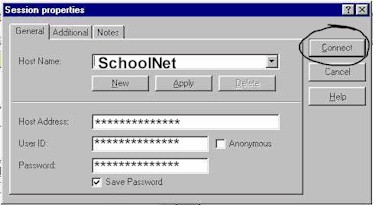
| Start the programme AceFTP by clicking on Start
Programs AceFTP Make sure that the Host Name SchoolNet is selected and then click on Connect.
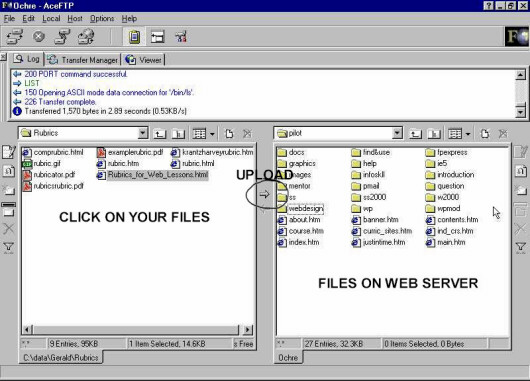
Once you have been logged on to the Web Server you will see the following screen:
Use the Note: Be sure that you have corrected the correct folder on the Web server (if you have stored your Web site files in more than one folder). The folder on the Web server should be exactly the same as the the folder on your local computer. Select the files you want to update by clicking on their names on the left hand
side of the screen. Then click on the |

 and
and  buttons and other normal file browsing to find the folder of files
that you want to update to the Web server. Your files appear on the left hand half of the
screen.
buttons and other normal file browsing to find the folder of files
that you want to update to the Web server. Your files appear on the left hand half of the
screen.  button