|
MS Excel 2000 - Columns, rows and cellsCell addresses |
|
| .......... | This is not a course. It is a... Tip Sheet |
|
| Cell
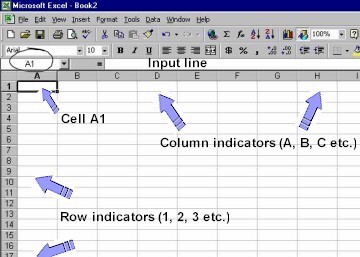
address Each block on the workbook page is called a cell. Each cell is identified by its address. The cell address describes the column and row of the cell. In the example below, A1 is the cell in Column A and Row 1. The cell address is shown to the left of the input line (circled).
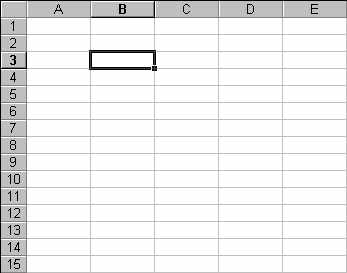
In the example below, the cell address is B3. It is in Column B and Row 3.
|
||
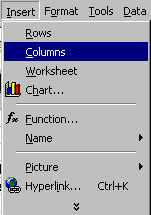
| Inserting and deleting columns and rows: Click on Insert New rows will insert above the position of the selected cell(s). New columns will insert to the left of the selected cell(s). |
  |
|
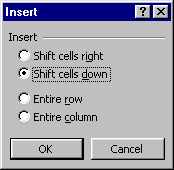
| To have more options on how to insert or delete columns or rows, you should click in the right mouse button. A pop-up menu appears on the page. |
  |
|
|
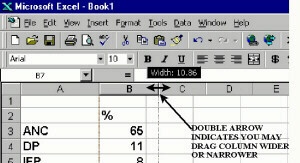
Move your mouse into the grey column indicator area and you will see the double arrow - click and drag left or right to increase / decrease column width (see image to the right). |
|
|