|
MS Excel 97 - Sorting data
|
|
| .......... | This is not a course. It is a... Tip Sheet |
|
| A selected range of data can be sorted in alphabetical order, reverse alphabetical order, ascending numerical order (smallest to largest) or descending numerical order (largest to smallest). First select the range of data you want to sort, remembering to select the entire row so that sections of data belonging to the same record of information do not become detached from each other. Having selected the data range: |
|
|
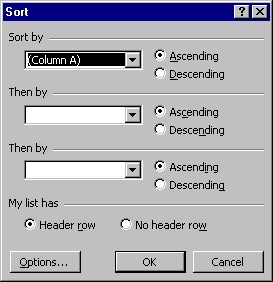
| A pop-up screen gives you the choice of
indicating which column you want to sort. We want to sort the names in this example, so we
choose Column A. Also choose whether you want to sort ascending (same as alphabetical) or
descending. Then click on OK |
 |
|

