|
MS Word 2000 - Moving around within a document |
||||||||||||||||||||||||||
| .......... | This is not a course, it is a ... Tip Sheet |
||||||||||||||||||||||||||
The ways to move around within a document are:
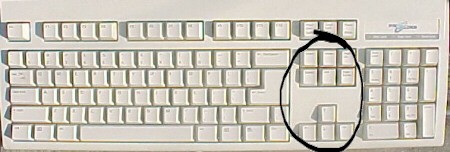
Note: You can normally only move around in spaces that you have already created by typing text or spaces. To move down into new space / a new line use the Enter key on the keyboard. To move to the right from the left hand margin on a new line use the Space Bar or the Tab key on the keyboard. You can use the mouse to click on any point where text or space has already been created. The other navigation keys on the keyboard are all found to
the right of the alphabet area.
|
|||||||||||||||||||||||||||