|
MS Word 2000 - Spell Check and Thesaurus |
||||
| .......... | This is not a course. It is a... Tip Sheet |
||||
Spell Check
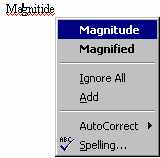
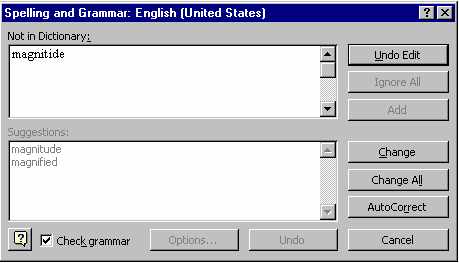
The spell check pop-up screen will identify the incorrect word in the top box under Not in Dictionary: and offer you possible correct spellings in the bottom box under Suggestions:. To choose the correctly spelt word, click on it in the bottom box and click on the Change button to the right. If the word is correctly spelt, but not recognised by Word, you could click on the Add button to add it to Word's dictionary. To proceed without changing the spelling you click on the Ignore button. If the word is incorrectly spelt, and Word does not offer the correct spelling, click on word in the Not in Dictionary box and make the correction yourself. Then click on Change. To end the spell check before it has proceeded to the end of the document, click on the Cancel button. |
|||||
|

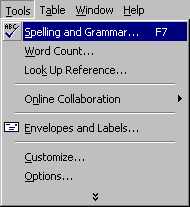
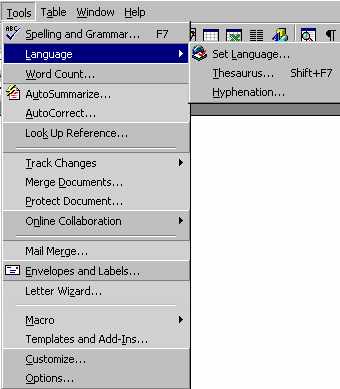
Click on Tools Click on the double down arrow at the bottom of the menu Click on Language Click on Thesaurus
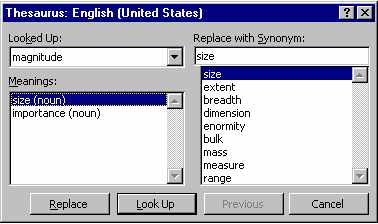
Thesaurus will offer you a list of words with similar meanings on the left hand side of the pop-up screen. Choose the meaning you want e.g. size (see below) |
 |