This is not a course. It is a ...
Tip Sheet
The easiest way to view the required page, directory or site offline is to double click on My Computer on the desk top, and then scroll to the folder My Intranet
 , then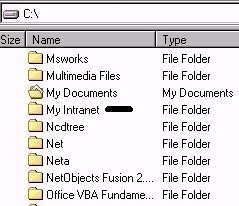
Double click My Intranet, then double click the folder required, in this case scienceinafrica.

The folder opens to Reports, and a www or URL folder.

Double click on the WWW or URL folder. The folder opens showing a number of files.
All web pages end with the extension html or htm. Click and
open the file which seems to be the main (home) page of the
site. It is quite often called
index.htm, but in this case the file is called www.scienceinafrica.co.html
 .
Double click on the file name and Internet Explorer or Netscape
Navigator will open for you to view the site offline.
.
Double click on the file name and Internet Explorer or Netscape
Navigator will open for you to view the site offline.

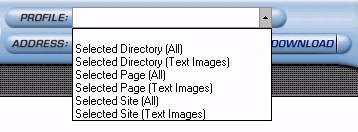
The page, directory or site is available for viewing offline at any time, for an unlimited period. The links to graphics, sounds or videos will all have been adjusted for viewing offline, if they had been requested in the Profile before downloading.
To purchase and register the programme, open the programme and click on the Purchase button below.