|
MS Word 97 - Find and replace text |
|
| .......... | This is not a course. It is a... Tip Sheet |
|
|

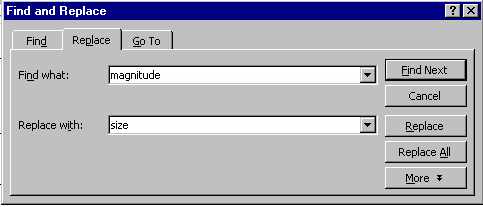
| Type the word you want the programme to find
for you in the Find what: box. Type
the word you with which you want to replace it in the Click on Find Next
Once the programme finds the word you are looking for, you have the choice of ignoring the replace (by clicking on Find Next again), or you could perform the replace action by clicking on Replace. |